-
Appointments
-
Business Settings
-
Clients
-
Notes
-
Site Settings
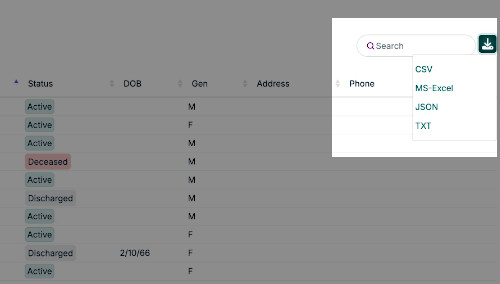
You can download appointments, notes or client data by clicking the respective "View" option (i.e. View Clients, View Notes, or View Appts). On the datatable, there is a download icon, click this and a drop down will show allowing you to select the file type to download.